Sunflower Memory Foam Wrist Rest: Typing Comfort Guide
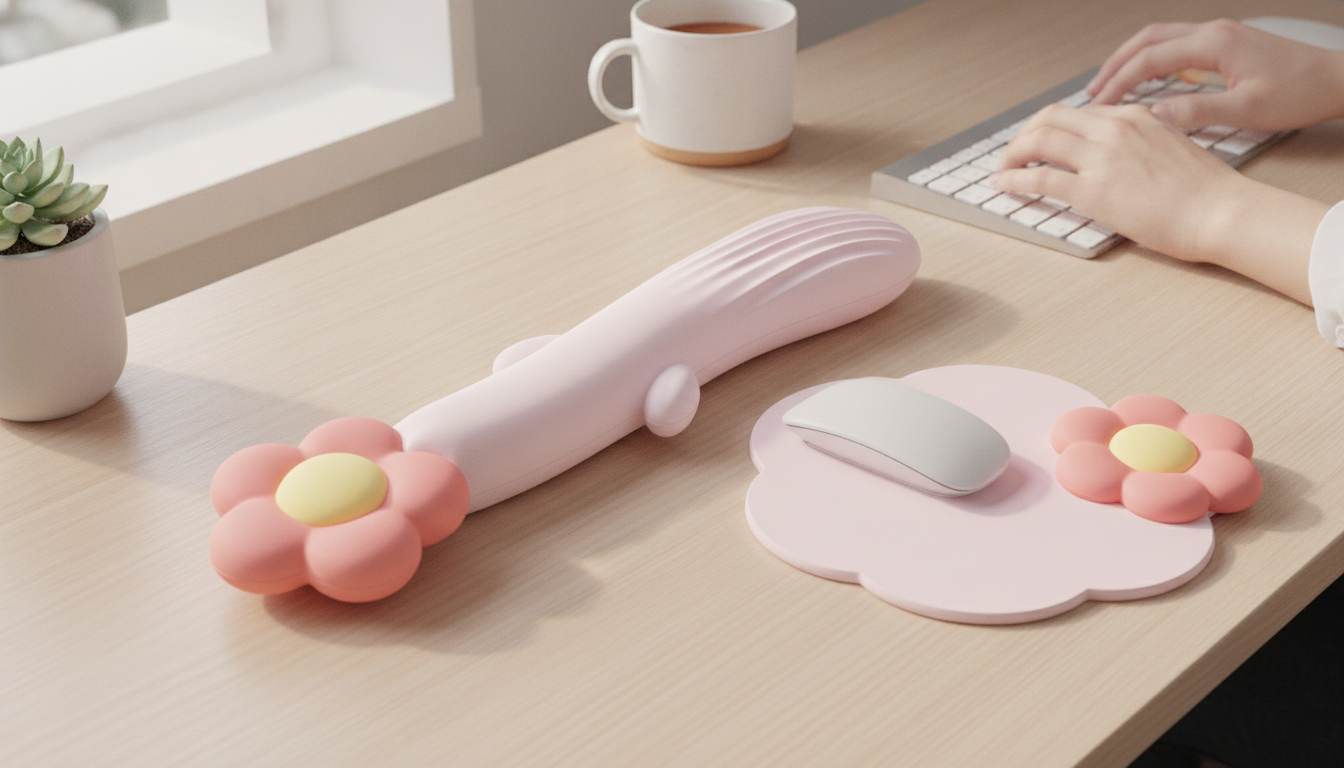
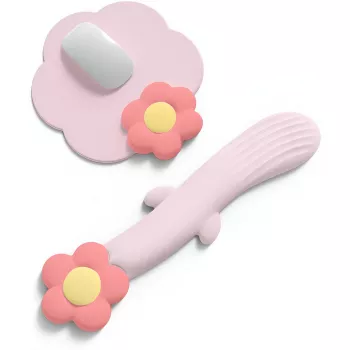
Sunflower Memory Foam Wrist Rest for Comfortable Typing
Long typing sessions can leave wrists feeling sore or strained, especially when a desk setup encourages bending or pressing into a hard surface. A soft, supportive wrist rest can help keep hands level with the keyboard and reduce pressure points. The Sunflower Memory Foam Wrist Rest adds a playful shape while focusing on everyday comfort for work, study, and gaming setups.
What It Is and Where It Fits on a Desk
The Sunflower Memory Foam Wrist Rest is a compact wrist cushion designed to sit directly in front of a keyboard, supporting the heel of the hand during pauses between keystrokes. It has a memory-foam feel that gently compresses under weight and then returns toward its original shape between uses.
Because it’s small and shaped like a sunflower, it doubles as a simple decorative accent without taking up much space. It’s also helpful when a desk edge feels sharp or when a shared workstation has a hard surface that creates pressure where wrists naturally land—common with laptop setups, external keyboards, and classroom or office “hot desks.”
Comfort Benefits During Typing and Mouse Work
A wrist rest can make a noticeable difference when discomfort comes from direct contact pressure between your wrists and a firm desktop. By adding a gentle lift at the front edge of the keyboard, it can encourage a more neutral wrist angle—especially for people who otherwise dip their wrists downward onto the desk.
For repetitive tasks like emails, homework, writing, and data entry, this “softer landing zone” can feel less fatiguing over time. For best comfort, use it as light support rather than something to lean on; pressing body weight into any cushion can increase wrist pressure instead of reducing it.
For broader workstation ergonomics (chair height, keyboard position, and neutral posture), OSHA’s Computer Workstations eTool is a helpful reference point. If wrist or hand symptoms persist or worsen, resources like the Mayo Clinic’s overview of carpal tunnel syndrome can offer useful context for when to seek medical advice.
Design Details That Matter Day to Day
Small details affect whether a wrist rest stays comfortable after the novelty wears off. This style uses a memory foam core to provide cushioning and shape recovery across repeated sessions, which can help it feel consistent from day to day.
The exterior surface is intended to feel comfortable against skin and reduce friction when wrists shift slightly during typing. Stable placement is easiest on a clean, dry desk; if you frequently switch between a laptop and an external keyboard, it’s worth repositioning the cushion to match the keyboard’s front edge so your wrists stay level.
The sunflower silhouette is more than decoration—it can make a workspace feel less clinical while still being practical, especially in dorm rooms, home offices, and gaming setups where the desk is part of the room’s look.
Quick Specs and Use Notes
For most keyboards, the best placement is directly in front of the spacebar area so your wrists can float while typing and lightly rest between keystrokes. Pairing the cushion with a simple routine—brief breaks plus finger and forearm stretches—often improves comfort more than any single accessory.
For care, gentle spot cleaning is usually the safest approach. Avoid soaking the foam and keep it away from spills or heavy dust buildup so the surface stays comfortable.
At-a-Glance Guide
| Feature | What to Expect | Why It Helps |
|---|---|---|
| Material feel | Memory foam cushioning | Reduces pressure points from hard desks |
| Shape | Sunflower-style wrist cushion | Adds comfort with a compact footprint |
| Primary use | Keyboard wrist support | Supports more neutral wrist positioning |
| Best for | Office work, studying, gaming | Improves comfort during longer sessions |
| Care | Gentle spot cleaning | Keeps the surface fresh with minimal effort |
Setup Tips for a More Comfortable Keyboard Position
Start by aligning the wrist rest with the keyboard’s front edge. If it sits too far forward, wrists can bend upward to reach the keys, which defeats the point. If your keyboard has flip-out feet, try a flatter angle first; many people feel better with less upward tilt.
Next, check your posture: keep elbows roughly level with the desk and shoulders relaxed. If you notice your shoulders creeping upward, lower the chair or raise the keyboard surface so arms don’t “hover” under tension.
Who It’s Best For
Product Picks for a More Comfortable Workday
- Sunflower Memory Foam Wrist Rest – Ergonomic Typing Cushion Support ($6.67, in stock): A simple upgrade that can reduce hard-surface pressure where wrists naturally rest.
- IPL Eye Beauty Device with Three-Color Light & Vibration ($27.49, in stock): A desk-friendly self-care option for winding down after screen-heavy work sessions.
- Calvin Klein Retro Square Sunglasses with Dark Lenses ($133.24, in stock): An easy grab-and-go accessory that encourages stepping outside for a real break from the screen.
FAQ
Should wrists rest on a cushion while typing?
Light contact during pauses is fine, but typing is usually most comfortable when hands float and wrists stay neutral. A cushion mainly helps by reducing pressure when your hands return to rest between bursts of typing.
How do you position a wrist rest correctly?
Place it right up against the front edge of the keyboard so your wrists don’t bend upward to reach the keys. Keep elbows near desk height, relax your shoulders, and adjust keyboard tilt if you feel your wrists angling up or down.
How do you clean a memory foam wrist rest?
Spot clean the surface with a small amount of mild soap and water, avoiding soaking the foam. Let it air dry completely before using again, and keep it away from direct heat sources.










Leave a comment