-
Shop
- Adidas
- Advanced Technologies
- Armani
- Bags
- Best-Sellers
- Birkenstock
- Boss
- Calvin Klein
- Car Accessories
- Crocs
- Dating & Social Skills
- Digital Resources
- Budgeting & Saving
- Emotional Intelligence
- Entrepreneurship & Business Growth
- Financial Independence
- Financial Mindset & Psychology
- Goal Setting
- Leadership
- Mindfulness
- Motivation
- Positive Thinking
- Productivity
- Self Confidence
- Sleep Improvement
- Stress Management & Relaxation
- Yoga & Mind-Body Practices
- Dr. Martens
- Drones
- Education & Learning
- Family & Parenting
- Fashion
- Fashion Accessories
- Financial Education
- Furniture
- Gadgets
- Health & Beauty
- Health & Wellness
- Home & Garden
- Home Decor
- Home Supplies
- Kids & Babies
- Lighting
- Massagers
- Mindset
- New Balance
- Nike
- Patio, Lawn & Garden
- Personal Growth
- Pet Care
- Pet Supplies
- Pets
- Shoes
- Sport & Outdoors
- Summer 2025 Fashion Collection
- Sunglasses
- Super Deals
- Timberland
- Tommy Hilfiger
- Travel
- Vans
- Wealth
- Winter Fashion
- Women’s Wellness & Lifestyle
- YouTube Shorts Best-Sellers
Toyota Magnetic Phone Holder: Secure, Minimal Mount
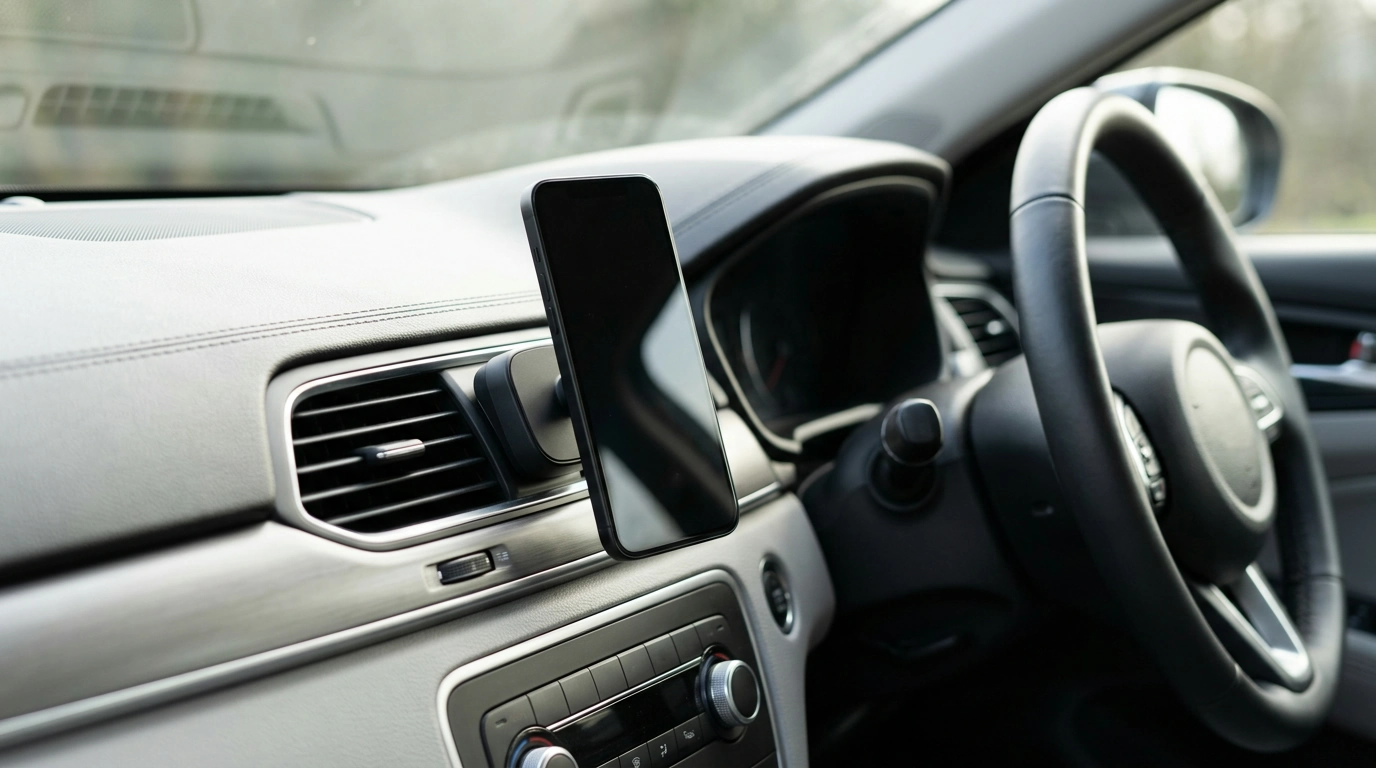
Magnetic Car Phone Holder for Toyota Corolla, RAV4, Camry – Secure & Stylish
A phone mount should feel like it belongs in the car—steady over bumps, quick to dock with one hand, and clean enough to match a Toyota interior. Our team built this magnetic car phone holder with Corolla, RAV4, and Camry drivers in mind, focusing on a secure grip and a minimalist look that doesn’t turn your dash into clutter. When your phone has a consistent “home,” it’s easier to keep navigation, calls, and music controls visible without constantly picking the phone up.
A cleaner way to keep the phone in reach
When your phone slides around a seat or rides in a cup holder, you lose glanceability and gain distractions. A compact magnetic mount keeps the screen where you can see it and tap it without juggling other items.
- Keeps navigation, calls, and music controls visible without balancing the phone in a cup holder or on a seat.
- Magnetic docking speeds up daily use: bring the phone close, let it snap into place.
- A compact, understated look that fits modern Toyota cabins without trim-heavy hardware taking over your view.
Secure hold that stays steady on real roads
Commutes aren’t perfectly smooth, and neither are weekend drives. A reliable magnetic connection helps keep your phone stable through the everyday motions that usually knock weaker mounts out of position.
- Designed for quick attachment while still holding firm through turns, stop-and-go traffic, and rough pavement.
- Helps reduce the temptation to handle the phone while driving by keeping it consistently in the same spot.
- A stable mount improves glanceability for maps and alerts, especially on longer road trips.
We also recommend setting up your route and audio before you pull out. For more safety context, review distracted driving guidance from NHTSA and the CDC.
Designed to look right in Corolla, RAV4, and Camry interiors
Some mounts are functional but visually loud. Our goal is a streamlined profile that complements Toyota styling—clean lines, no oversized arms, and a setup that doesn’t make the cabin feel crowded.
- A streamlined profile that pairs well with factory styling.
- Works as a practical add-on for daily driving without creating visual clutter.
- Ideal if you want a mount that blends in rather than becoming the focal point.
Setup that stays simple
A good install is mostly about placement. You want the phone easy to see and reach, without blocking key controls or pushing you into awkward motions.
- Choose a mounting spot that keeps sightlines clear and controls accessible.
- Attach the magnet/plate setup once, then dock and undock the phone in seconds.
- After placement, test common motions: steering wheel turns, shifting, and reaching climate controls.
One small tip from our team: before you finalize placement, sit in your normal driving posture and do a quick “routine check”—hands on the wheel, glance to the mount, reach for hazards and climate controls—so nothing feels cramped.
Quick compatibility checklist before installing
Most fit issues come down to where the phone sits and how thick the case is. Think through these basics before you commit to a spot, especially if you rely on wireless charging.
| Check | What to look for | Why it matters |
|---|---|---|
| Sightlines | Phone stays below the main field of view and doesn’t block mirrors or the road | Supports safer, quicker glances for navigation |
| Controls access | Doesn’t cover hazard button, vents, infotainment knobs, or climate controls | Prevents daily annoyance and unsafe reaching |
| Case thickness | Very rugged/thick cases vs. slim cases | Affects how strongly the phone couples to the magnet |
| Cable route | Charging cable can reach without crossing shifter/steering | Keeps the setup tidy and reduces snagging |
| Heat/sun exposure | Avoid placing where direct sun bakes the phone for long periods | Helps reduce overheating during navigation |
Everyday tips for the best magnetic grip
Once installed, a few small habits keep the hold consistent and the experience “set it and forget it.”
- Center the phone on the magnetic surface for the most stable hold, especially on rough roads.
- Keep contact surfaces clean—dust and pocket lint can reduce grip over time.
- If using a metal plate, place it so the phone’s balance point sits comfortably, reducing wobble during bumps.
A small upgrade that makes driving feel more organized
When your phone has a dedicated spot, the whole cabin feels less chaotic—fewer loose items, less fumbling, and fewer mid-drive adjustments. It’s a straightforward upgrade that’s especially useful if you commute, drive rideshare, or take frequent weekend trips where maps and audio controls are in constant use.
Recommended picks from our store
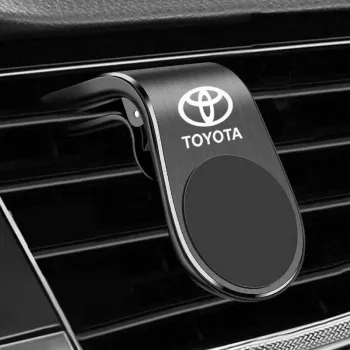
- Magnetic Car Phone Holder for Toyota Corolla, RAV4, Camry – Secure & Stylish — a clean, secure way to keep your phone visible and easy to dock one-handed.
- Calvin Klein Retro Square Sunglasses with Dark Lenses — a simple comfort upgrade for bright commutes and long daytime drives.
FAQ
Will a magnetic phone holder damage my phone?
Modern smartphones are generally designed to tolerate everyday magnetic exposure from accessories. If you have specific concerns (especially with medical devices or sensitive accessories), follow your phone manufacturer’s guidance and keep magnets away from magnetic-stripe cards.
Can I use it with a thick phone case?
Many cases work well, but very thick or rugged cases can weaken the magnetic connection. For best results, test placement, use a plate if included with your setup, and center the phone on the mount for maximum contact.
Will it affect wireless charging?
Metal plates or certain magnet placements can interfere with wireless charging depending on where your phone’s charging coil sits. If you rely on wireless charging, position any plate away from the coil area or remove it when charging wirelessly.
Recommended for you

Was this article helpful?
Yes
No









Leave a comment