Dual USB QC3.0 Bluetooth FM Transmitter for Any Car
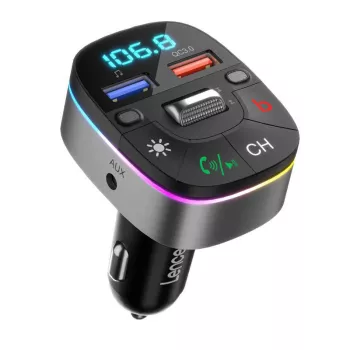
Bluetooth FM Transmitter with Dual USB QC3.0 Fast Charging and Hands‑Free Calls
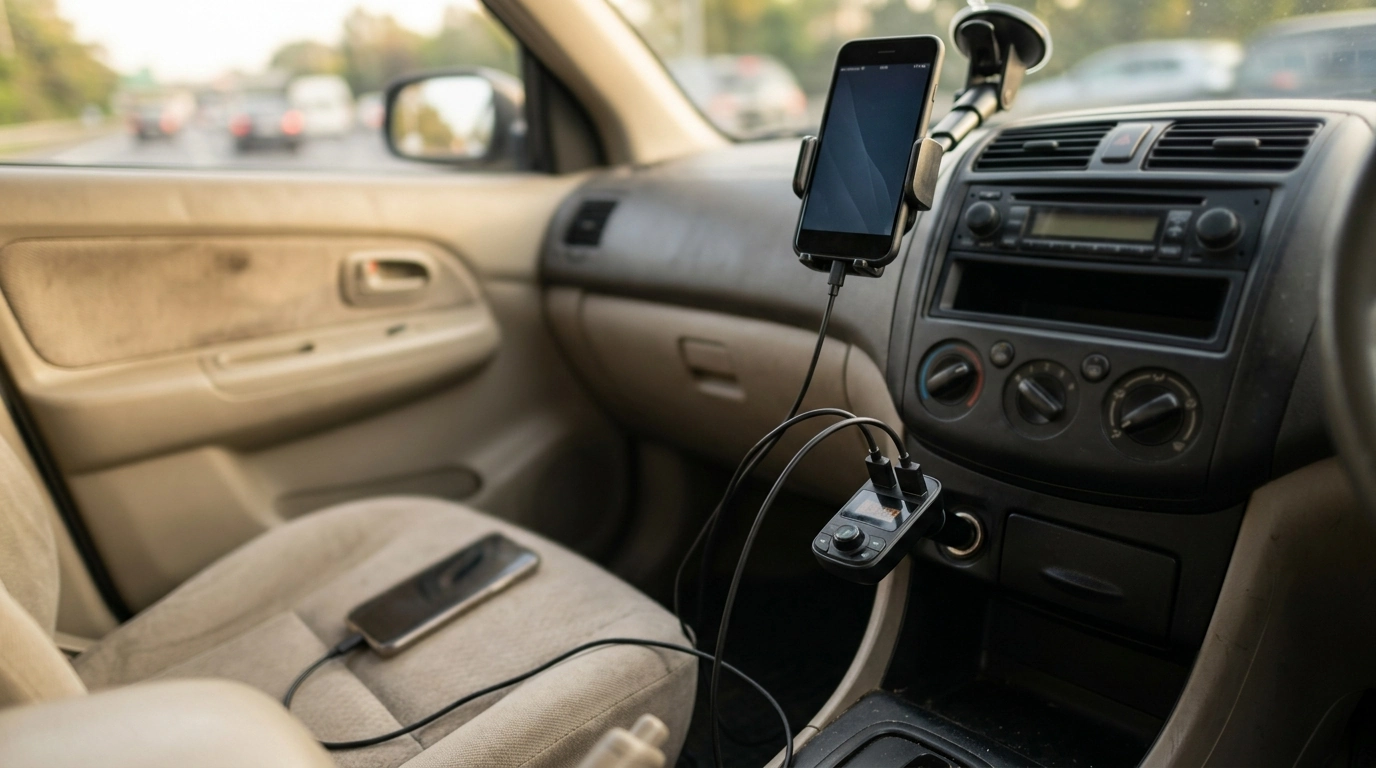
Bring modern wireless audio and safer calling to older car stereos without replacing the head unit. A Bluetooth FM transmitter pairs with your phone for music and calls, then broadcasts the sound to an FM radio station your car can receive—while also charging two devices at once. It’s a practical upgrade for daily commutes, carpools, and road trips where you want reliable audio, fewer distractions, and a battery that doesn’t quit halfway home.
What It Does (and When It’s the Right Fit)
This type of transmitter solves a common problem: your car’s stereo works fine, but it doesn’t have Bluetooth or an AUX input. Instead of swapping the head unit, you plug a small adapter into the power socket (12V outlet) and let it do the bridging.
- Adds Bluetooth audio to nearly any car stereo with an FM radio by transmitting to an unused FM frequency.
- Enables hands‑free calling through the car speakers for clearer conversations and fewer distractions.
- Charges two devices at once, including faster charging for supported phones via QC3.0.
- Best for vehicles without Bluetooth/AUX input; also useful as a backup audio option in rental cars.
For drivers who frequently switch vehicles—work fleets, rideshares, or rentals—an FM transmitter can be the “always packed” solution that keeps your setup consistent without touching the dashboard.
Key Features That Matter on the Road
Not all transmitters feel the same in everyday use. The most useful ones focus on stable pairing, easy frequency tuning, straightforward call handling, and charging that keeps up with real-world driving schedules.
- Dual USB outputs support charging a driver’s phone and a passenger’s device at the same time.
- QC3.0 fast charging can reduce time spent tethered to a cable during short drives (device compatibility required).
- Hands‑free call support pairs with a smartphone so incoming calls play through the vehicle’s speakers.
- Compact plug‑in design keeps installation simple—no dashboard removal or wiring harness needed.
Quick feature checklist
| Feature | Why it’s useful | What to check before buying |
|---|---|---|
| Bluetooth audio | Streams music, podcasts, navigation prompts | Phone Bluetooth version; stable pairing in your vehicle |
| FM transmission | Works with any FM car radio | Availability of an open FM frequency in typical driving areas |
| Hands‑free calls | Keeps calls through car speakers | Mic placement and cabin noise level |
| Dual USB charging | Charges two devices simultaneously | Total power output and cable quality |
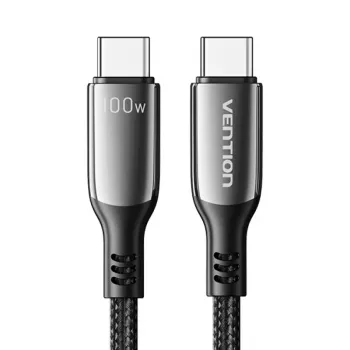
| QC3.0 fast charging | Faster charging for compatible phones | QC support on your device; use a fast-charge cable |
For a quick refresher on how Bluetooth works across devices, the Bluetooth SIG provides a helpful overview of the technology and its core capabilities: Bluetooth technology overview. If you’re curious about consumer guidance related to wireless devices and signal use, the FCC’s consumer resources are a reliable reference: FCC consumer guidance and resources.
Setup in Minutes: Pair, Tune, and Drive
Once you’ve used one of these adapters, the routine becomes second nature. The goal is simple: match the transmitter’s FM frequency to your car radio and let Bluetooth handle the connection to your phone.
- Plug the transmitter into the vehicle’s power socket and turn the ignition on.
- Pair your phone via Bluetooth using the device name shown in your phone’s pairing list.
- Choose a clear FM frequency and tune the car radio to the same frequency.
- Start audio on your phone; adjust car volume and phone volume for clean, balanced sound.
- For calls, keep Bluetooth connected and use the transmitter controls to answer/hang up when supported.
A good starting point for volume is: phone at a moderate-high level, then adjust the car stereo volume to taste. That approach often improves clarity and keeps background hiss under control.
Getting Clear Audio: Practical Tips for FM Transmitters
FM transmitters can sound surprisingly good, but audio quality depends heavily on frequency choice and your surroundings. A little tuning goes a long way.
- Pick the quietest frequency in the area: scan the FM band for a station-free spot before setting the transmitter.
- Retune when the environment changes: if interference appears mid‑trip, switch to a new open frequency (urban areas can change frequency availability block by block).
- Balance phone vs. stereo volume: keep phone volume moderate-high and use the car stereo volume to fine‑tune loudness—this often reduces hiss.
- Keep the signal path clean: place the phone where Bluetooth reception is stable and away from other strong RF sources to minimize dropouts.
Charging Performance and Device Safety
Everyday Use Cases
Recommended In‑Stock Picks
- Bluetooth FM Transmitter with Dual USB QC3.0 Fast Charging and Hands‑Free Calls — a simple plug‑in way to add wireless audio, hands‑free calling, and two-device charging in one compact accessory.
- Calvin Klein Retro Square Sunglasses with Dark Lenses — a comfortable add-on for bright commutes and long highway drives.
FAQ
Why is there static or interference when using an FM transmitter?
Static usually comes from nearby broadcast stations crowding the same frequency. Choose a truly unused FM spot, retune as you travel (especially in cities), and keep your phone volume moderate-high while adjusting loudness on the car stereo to reduce hiss.
Will QC3.0 fast charging work with any phone?
No—QC3.0 fast charging depends on phone compatibility and the charging standard your device supports. With a non‑compatible phone (or a poor-quality cable), the port will typically fall back to standard charging speeds.
Can calls sound echoey or quiet through the car speakers?
Yes, cabin noise and mic placement can make calls sound faint or create echo. Try lowering the stereo volume slightly, reducing fan speed, closing windows, and repositioning the transmitter (if possible) so the microphone has a clearer path to your voice.









Leave a comment