Compact 75% RGB Hot-Swap Gaming Keyboard + Volume Knob
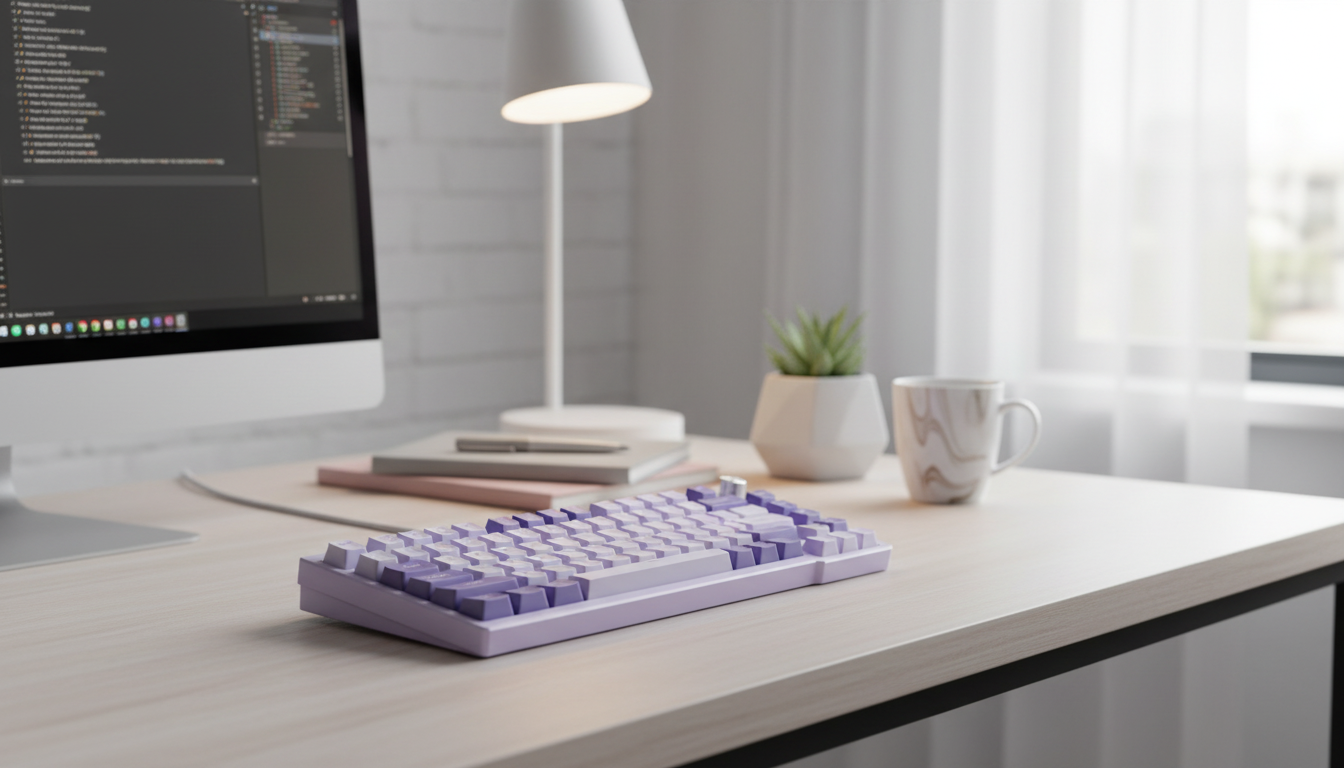
75% Mechanical Gaming Keyboard with RGB, Hot-Swappable Switches & Volume Knob
A compact 75% layout can free desk space without sacrificing key functions, while hot-swappable sockets make switch changes easy and RGB lighting adds personality. Add a dedicated volume knob and the result is a keyboard built for fast adjustments during games, calls, and everyday work—without needing a massive full-size footprint.
Why a 75% layout fits gaming and everyday setups
A 75% keyboard hits a sweet spot: it trims the wasted width of a full-size board while keeping the keys many players and professionals still use daily.
- Keeps the function row and essential navigation keys while reducing width compared with a full-size keyboard.
- Creates more mouse room for lower-sensitivity aiming and wider arm movement.
- Supports a clean desk layout for smaller spaces, laptop docks, and shared workstations.
- Balances portability with familiarity for users who still rely on F-keys and arrow keys.
For competitive games, extra mouse space can feel like an immediate upgrade—especially if the keyboard no longer forces the mouse hand into a cramped angle. For work, keeping F-keys and arrows reduces the “Where did that key go?” adjustment that smaller layouts can cause.
RGB lighting that’s practical, not just flashy
RGB is often treated like pure aesthetics, but it can be genuinely useful when it’s implemented well.
- Helps quickly locate keys in low-light rooms or late-night sessions.
- Enables per-key or zone lighting patterns for game profiles and shortcuts.
- Pairs well with translucent or shine-through keycaps for higher visibility.
- Consider brightness levels, animation smoothness, and whether effects can be customized without extra software.
A simple, high-contrast color scheme can reduce mis-presses when the room is dim. If the keyboard supports onboard lighting controls, it’s easier to keep your setup consistent across multiple PCs. For context on how keyboards communicate common inputs and controls, the USB-IF documentation on USB Human Interface Device (HID) usage tables is a helpful reference.
Hot-swappable switches: how it changes the keyboard experience
Hot-swap sockets turn switch choice from a permanent decision into something you can tune over time.
- Allows replacing switches without soldering, simplifying repairs and upgrades.
- Makes it easy to experiment with switch types (linear, tactile, clicky) to match play style and typing preference.
- Supports mixing switch types (for example, tactiles on WASD and linears elsewhere) for tailored feel.
- Check compatibility details such as 3-pin vs 5-pin support and the recommended switch brands/types.
If a single key starts chattering or feeling scratchy, hot-swap designs can make the fix as straightforward as pulling the switch and inserting a new one—no soldering iron required. If you want a quick primer on how switch types differ in feel and sound, see RTINGS’ mechanical keyboard switch guide.
Volume knob: fast control when it matters
A dedicated knob is one of those features that feels “extra” until you use it for a week—then it’s hard to go back.
- Immediate audio adjustment during matches, voice chat, or streaming without leaving the game.
- More precise than tapping media keys repeatedly, especially for small changes.
- Often doubles as a mute or play/pause control depending on configuration.
- Look for stable rotation, minimal wobble, and predictable steps or smooth analog feel.
In practice, it’s great for moments like lowering game volume when teammates are calling plays, or quickly muting during a meeting without hunting for on-screen controls.
At-a-glance feature checklist
- Layout: 75% (compact, function row retained)
- Core features: RGB lighting, hot-swappable switch sockets, dedicated volume knob
- Best for: gaming setups needing more mouse space, users who like customizing feel and sound
- Nice-to-have considerations: sturdy case, quality stabilizers, reliable cable/port, and clear software or on-board controls
Quick comparison: what each feature improves
| Feature | What it affects | Why it’s useful |
|---|---|---|
| 75% layout | Desk space & reach | More room for mouse movement while keeping function keys |
| RGB lighting | Visibility & style | Easy key finding in the dark; customizable setups |
| Hot-swappable switches | Feel, sound & maintenance | Swap switches without soldering; simpler repairs and upgrades |
| Volume knob | Audio control speed | Instant adjustments for games, calls, and media |
What to check before buying
- Switch preference: linear for smooth fast presses, tactile for feedback, clicky for louder confirmation.
- Stabilizers: smoother spacebar and modifiers reduce rattle and improve consistency.
- Keycap profile and legends: comfort and readability vary across profiles and printing methods.
- Connectivity and power needs: confirm USB port type and whether it’s intended for plug-and-play use.
- Noise level: shared rooms may benefit from quieter switches and dampening options.
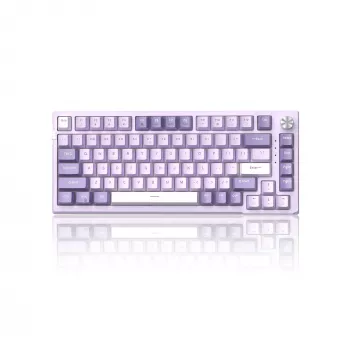
Product pick: 75% Mechanical Gaming Keyboard with RGB, Hot-Swappable & Volume Knob
If the goal is a compact board that still feels fully equipped, the 75% Mechanical Gaming Keyboard with RGB, Hot-Swappable & Volume Knob brings together the features that tend to matter most day-to-day.
Setup tips for a better out-of-box experience
More in-stock picks
- Calvin Klein Retro Square Sunglasses with Dark Lenses
- IPL Eye Beauty Device with Three-Color Light & Vibration
FAQ
What does hot-swappable mean on a mechanical keyboard?
Hot-swappable means the switches can be removed and replaced without soldering. It’s important to confirm switch compatibility (commonly 3-pin vs. 5-pin support) and to remove switches gently to avoid damaging the sockets.
Is a 75% keyboard good for gaming?
Yes—75% keyboards are popular for gaming because they free up mouse space while keeping function keys and arrow keys. Depending on the specific layout, there may be a short adjustment period for the placement of navigation keys.
What is the benefit of a volume knob on a keyboard?
A volume knob offers fast, precise audio changes during games, calls, and media playback. Many knobs also support a secondary press function such as mute or play/pause, depending on the keyboard’s configuration.









Leave a comment