-
Shop
- Adidas
- Advanced Technologies
- Armani
- Bags
- Best-Sellers
- Birkenstock
- Boss
- Calvin Klein
- Car Accessories
- Crocs
- Dating & Social Skills
- Digital Resources
- Budgeting & Saving
- Emotional Intelligence
- Entrepreneurship & Business Growth
- Financial Independence
- Financial Mindset & Psychology
- Goal Setting
- Leadership
- Mindfulness
- Motivation
- Positive Thinking
- Productivity
- Self Confidence
- Sleep Improvement
- Stress Management & Relaxation
- Yoga & Mind-Body Practices
- Dr. Martens
- Drones
- Education & Learning
- Family & Parenting
- Fashion
- Fashion Accessories
- Financial Education
- Furniture
- Gadgets
- Health & Beauty
- Health & Wellness
- Home & Garden
- Home Decor
- Home Supplies
- Kids & Babies
- Lighting
- Massagers
- Mindset
- New Balance
- Nike
- Patio, Lawn & Garden
- Personal Growth
- Pet Care
- Pet Supplies
- Pets
- Shoes
- Sport & Outdoors
- Summer 2025 Fashion Collection
- Sunglasses
- Super Deals
- Timberland
- Tommy Hilfiger
- Travel
- Vans
- Wealth
- Winter Fashion
- Women’s Wellness & Lifestyle
- YouTube Shorts Best-Sellers
TWS Bluetooth 5.4 Earphones: Simple Setup, Fewer Drops
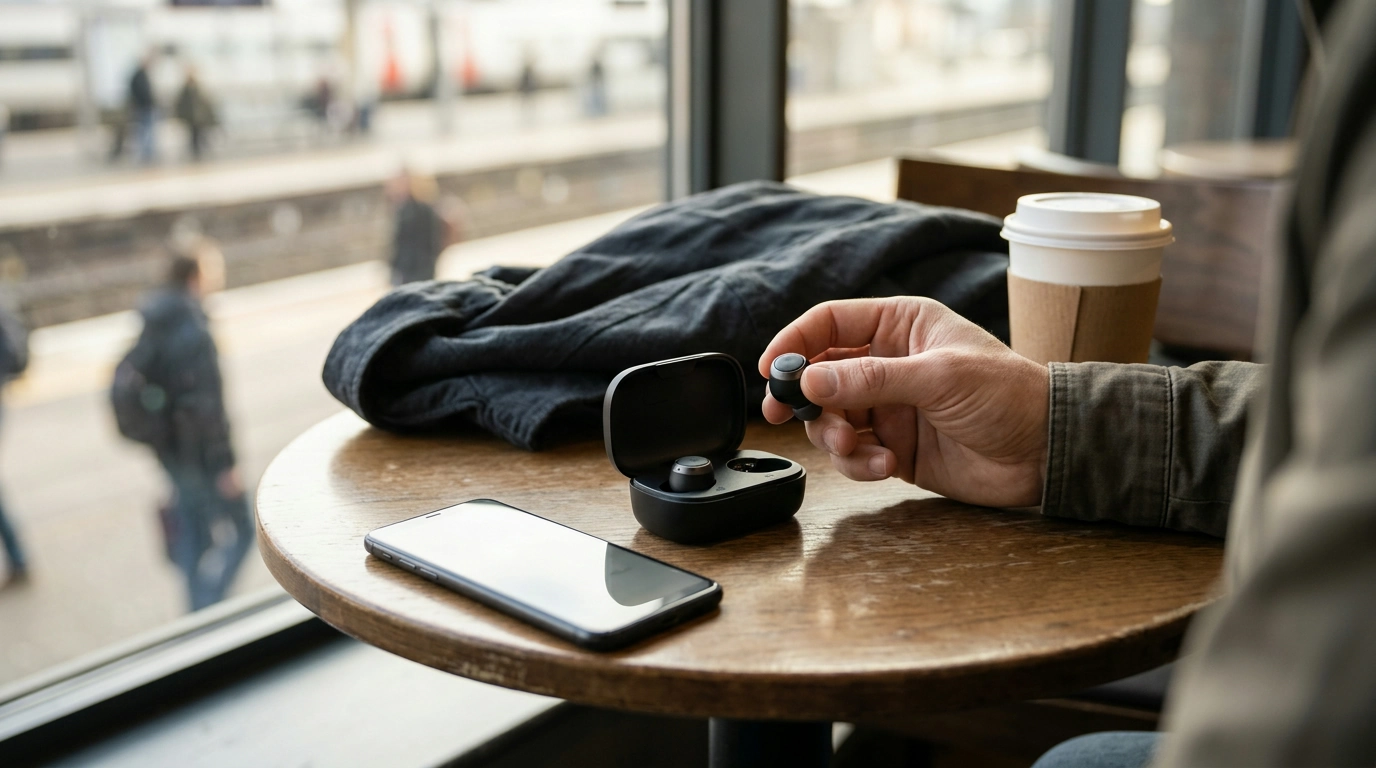
Wireless earphones should be easy: quick pairing, stable connection, and a pocket-friendly setup that fits into daily routines—commutes, calls, workouts, and quick breaks. Our TWS Wireless Earphones Bluetooth 5.4 are a straightforward pick if you’re moving from wired to wireless or replacing an older set. You get modern Bluetooth and true wireless convenience without turning daily listening into a project.
What “TWS” really adds to your day
TWS (true wireless stereo) means there’s no cable connecting the earbuds—small change on paper, big difference in real life. Here’s what you’ll notice first:
- No cable between earbuds: fewer tangles, easier pocket storage, and faster on/off use when you’re hopping between tasks.
- Flexible listening: use both earbuds for a more immersive feel, or keep to a single earbud when you want awareness for traffic, announcements, or quick conversations.
- Easy handoff between moments: desk to door to sidewalk—TWS fits stop-and-go routines because there’s nothing to drape, snag, or re-wrap.
- Lightweight carry: a compact set is easy to keep in your bag, car console, or jacket pocket so you’re not stuck without audio when you actually want it.
Bluetooth 5.4 basics: what to expect from a newer connection
Bluetooth versions don’t magically solve every issue (your environment matters), but newer generations are designed to improve the everyday “feel” of wireless use—especially when you’re in motion.
- Smoother day-to-day stability: busy signal areas like cafés, transit, and shared offices can be rough on wireless. Newer Bluetooth generations aim to handle connection behavior more gracefully.
- Better efficiency goals: modern Bluetooth standards are built with power efficiency in mind, helping accessories manage energy more effectively over time.
- Wide device compatibility: Bluetooth audio is designed to pair with most phones, tablets, and laptops that support Bluetooth.
- Practical takeaway: the biggest win is fewer interruptions and quicker reconnection when you step out of range and come back.
| Priority | Why it matters | What to confirm before buying |
|---|---|---|
| Fit & comfort | A secure fit helps sound and reduces readjusting | Choose a style that matches your ear shape; consider tips if included |
| Connection stability | Reduces drops and re-pairing hassle | Phone/laptop Bluetooth version; typical listening environment |
| Controls | Makes volume/track/calls easier on the move | Preferred control style; comfort with touch vs. buttons |
| Charging routine | Determines how often charging becomes a task | How and where charging will happen (desk, car, bedside) |
| Use case | Different routines demand different priorities | Commute, gym, office, walking, travel |
If you’d like to go deeper on Bluetooth basics and device behavior, the Bluetooth SIG is the official source for the standard: Bluetooth SIG (official Bluetooth information).
How to get a clean first setup (and avoid the most common pairing issues)
Most “these won’t pair” moments come down to power level, remembered connections, or trying to pair while the earbuds aren’t in the right mode. Our team recommends this simple first-run routine:
Platform-specific help can be useful when a phone’s settings get in the way. If you need it, see Apple Support: Pair a Bluetooth accessory with an iPhone, iPad, or iPod touch or Google Help: Fix Bluetooth problems on Android.
Building a “commute-ready” audio kit
- Keep your essentials together: store your earphones and charging cable in the same pocket of your bag so you’re not searching at the door.
- Set a weekly charging rhythm: pick a day/time and stick to it; predictable beats “I forgot to charge them” every time.
- Match accessories to your routine: if you’re outside often, adding a daily-carry item like Calvin Klein Retro Square Sunglasses with Dark Lenses can turn your commute setup into a quick grab-and-go bundle.
- If calls are a priority, test in real conditions: a quiet room can feel perfect, then wind and street noise change the experience—do a quick call test on your usual route.
A simple value pick for upgrading from older wireless earphones
If your current pair struggles with random dropouts, slow reconnection, or finicky pairing, moving to a newer Bluetooth generation can be a practical upgrade. Our TWS Wireless Earphones Bluetooth 5.4 keep the focus on everyday usability: true wireless convenience, straightforward setup, and an easy option for first-time wireless users or anyone replacing a worn-out set.
| Item | Details |
|---|---|
| Product | TWS Wireless Earphones Bluetooth 5.4 |
| Price | 23.80 USD |
| Availability | In stock |
FAQ
Will Bluetooth 5.4 earphones work with older phones and laptops?
Yes—Bluetooth audio is generally backward compatible, so these earphones can pair with many older phones and laptops that support Bluetooth audio. Your real-world stability and range depend more on the host device’s Bluetooth capabilities and your environment than the earphones alone.
How can connection dropouts be reduced in crowded places?
Keep your phone on the same side as your primary earbud, avoid blocking the signal with a bag or heavy coat, and disconnect from any nearby devices you’re not actively using. If issues persist, forgetting the device and re-pairing can clear out glitchy saved connection data.
What should be done if the earphones won’t show up in Bluetooth settings?
Charge the earphones, confirm Bluetooth is enabled, then toggle airplane mode or restart your phone to refresh wireless services. If you still don’t see them, remove any old saved listings for the earphones and try pairing mode again, then test with a second device to isolate whether the issue is the phone or the earphones.
Recommended for you
Was this article helpful?
Yes
No









Leave a comment